
Adobe Firefly Review 2026: Built for Approval, Not Pure Imagination
- Adobe Firefly Review 2026: Built for Approval, Not Pure Imagination
- Quick verdict: who Firefly is actually for
- The wrong way to review Adobe Firefly
- What “approval-ready” actually means
- Firefly’s strongest use case: reducing creative risk
- Where Firefly feels useful in a real marketing workflow
- Where Firefly still feels too controlled
- The partner-model paradox
- Adobe Firefly pricing: credits change how people create
- Firefly video and the motion problem
- When a generation-first workflow makes more sense
- Who should use Adobe Firefly
- Final verdict
Adobe Firefly Review 2026: Built for Approval, Not Pure Imagination
Adobe Firefly is not the AI tool I would open first when I want the wildest visual idea in the room.
That is not really a criticism.
Firefly is built for a different kind of creative work. Its value shows up less in the first exciting generation and more in what happens after that: editing, adapting, reviewing, approving, and moving an asset through a real Adobe-centered workflow.
For this review, I looked at Firefly less like a prompt playground and more like a marketing production tool. The question was not simply “Can it generate good images?” It was: does Firefly help a creative asset move closer to actual use?
That framing changes the answer.
Firefly is strong when the work needs to become safer, cleaner, more editable, and easier to approve. It is weaker when the goal is open-ended visual exploration, aggressive style testing, or fast image-to-video experimentation.
Quick verdict: who Firefly is actually for
| Use case | Firefly fit | Why |
|---|---|---|
| Photoshop cleanup and expansion | Strong | Firefly works best when AI output needs to be edited, extended, or refined inside Adobe tools |
| Brand-safe marketing variations | Strong | Its commercial positioning and Adobe workflow make sense for teams that need safer assets |
| Campaign concepting | Mixed | Good for controlled directions, less exciting for wild visual exploration |
| Early-stage ideation | Mixed | The credit system can make heavy experimentation feel counted |
| AI video testing | Weaker | Video-first or motion-first workflows are usually more direct |
| Non-Adobe creators | Mixed to weak | If you do not benefit from the Adobe ecosystem, Firefly’s value is harder to justify |
My short take: Adobe Firefly is useful, but not because it is the most imaginative AI generator. It is useful because it helps AI-generated assets become more usable.
That distinction matters.
The wrong way to review Adobe Firefly
A lot of Firefly reviews follow the same pattern: explain the features, list the pricing, show a few prompt results, then compare it with Midjourney or another image generator.
That format is easy to read, but it misses the more important question.
A creative team does not stop at the first generated image. The first image is usually where the real work starts. Someone asks for a safer version. Someone wants the product kept intact. Someone needs the background expanded. Someone wants the image to fit a brand system. Someone needs a version that can survive client review.
That is where Firefly becomes more interesting.
The product itself has also moved beyond the old “text-to-image generator” label. Adobe’s Firefly page now frames it around image, video, audio, and design generation. That broader positioning matters because Firefly is no longer just a standalone image tool. It is Adobe’s attempt to put generative AI inside a wider creative production environment.

So the better test is not whether Firefly can beat every other AI image model on visual drama.
The better test is whether it reduces friction after the idea already exists.
What “approval-ready” actually means
In this review, “approval” does not just mean a manager saying yes.
It means four practical things:
- Editable: the asset can be adjusted without starting over.
- Brand-safe: the output feels controlled enough for a real campaign or brand system.
- Commercially safer: the model’s positioning makes legal and usage conversations easier.
- Workflow-friendly: the asset can move into Photoshop, Express, Premiere, or another production step without forcing the team to rebuild everything.
That is where Firefly’s strongest value sits.
Most AI images do not fail because the first draft is ugly. They fail later, when a team asks whether the asset can actually be used. Can it be modified? Can it be approved? Can the source of the output be explained? Can it move into a real design file? Can it hold up in a commercial context?
These are not glamorous questions, but they are exactly the questions that decide whether an AI tool becomes part of a team’s workflow or stays as a fun side experiment.
Firefly’s strongest use case: reducing creative risk
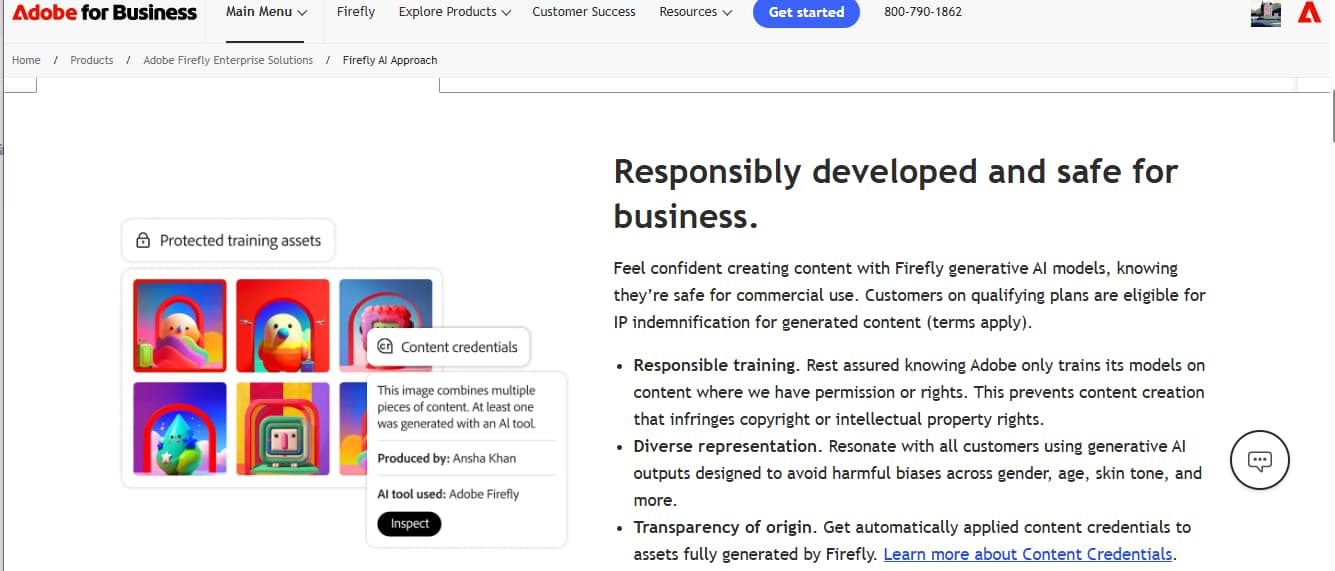
Adobe has been very deliberate about Firefly’s business positioning. Its Firefly for business materials emphasize commercially safer AI, transparency, and enterprise-friendly creative use.
That positioning is not just corporate language. It explains who Firefly is really trying to win.
For a solo creator, commercial safety may feel less exciting than stronger style output. For a brand team, it can be the reason the tool gets approved in the first place.
This is why Firefly often feels more valuable in production than in pure ideation. It is not always the tool that gives you the most surprising first image. It is the tool that may make the next steps easier: cleanup, variation, review, and handoff.
That matters in real marketing work.
A campaign visual rarely needs only one dramatic image. It needs options. It needs revisions. It needs a safer version. It needs a crop that works for another channel. It needs a designer to make one controlled change without regenerating the whole thing.
Firefly is built closer to that reality than many prompt-first image tools.
Where Firefly feels useful in a real marketing workflow
Firefly works best when the task is specific and production-adjacent.
For example, it makes sense when a product visual needs a cleaner background, when a social asset needs a wider crop, when a designer wants to remove a distracting object, or when a marketing team needs several safer variations before a review meeting.
These are not the most exciting AI tasks. They are the tasks that keep creative work moving.
That is the important part.
Firefly is not always trying to replace the designer. In its best use cases, it behaves more like a production assistant. It helps create a workable draft, extend an existing image, fill a gap, or produce a controlled variation that a human can still refine.
That makes the tool feel less magical, but more usable.
And for professional teams, usable often matters more than magical.
Where Firefly still feels too controlled
The same qualities that make Firefly safer can also make it feel limited.
When the brief calls for bold visual risk, Firefly may not be the first tool I would reach for. The results can look clean, polished, and brand-friendly, but sometimes they do not push far enough. For creators who want extreme cinematic styles, unusual fashion concepts, strange fantasy worlds, or more aggressive aesthetic direction, Firefly can feel careful.
That is not always a problem.
A careful tool can be useful for a careful brief.
But it becomes a problem when the project is still searching for a visual identity. Early ideation often needs waste. It needs bad versions. It needs strange attempts. It needs outputs that are not safe yet.
Firefly can do concepting, but it is not always where I would go for the most surprising creative leap.
That is the trade-off: Firefly reduces some types of risk, but it can also reduce some types of creative surprise.
The partner-model paradox
Adobe’s partner-model strategy makes Firefly more useful, but it also makes the product more complicated to judge.
The partner-model move, including models from companies such as OpenAI and Google, shows that Adobe understands what users want: more model choice, better outputs, and fewer reasons to leave the workspace.
That is useful.
It also raises a more interesting question: if Firefly becomes stronger because it gives access to outside models, what is the real value of Firefly?
I do not think the answer is only generation quality.
The value is the Adobe layer around generation: the account, the files, the editing tools, the review flow, the brand trust, and the path back into production.
That is not a weakness by itself. In fact, it may be the strategy. Firefly does not need to be the wildest model if it becomes the place where AI assets are created, organized, revised, approved, and handed off.
But users should be clear about what they are paying for.
You are not only paying for the image result.
You are paying for the workflow around the result.
Adobe Firefly pricing: credits change how people create
The pricing conversation around Firefly usually starts with monthly plans.
That is too shallow.
Adobe’s Firefly plans use generative credits, and the practical issue is not only the sticker price. The practical issue is how credits affect creative behavior.
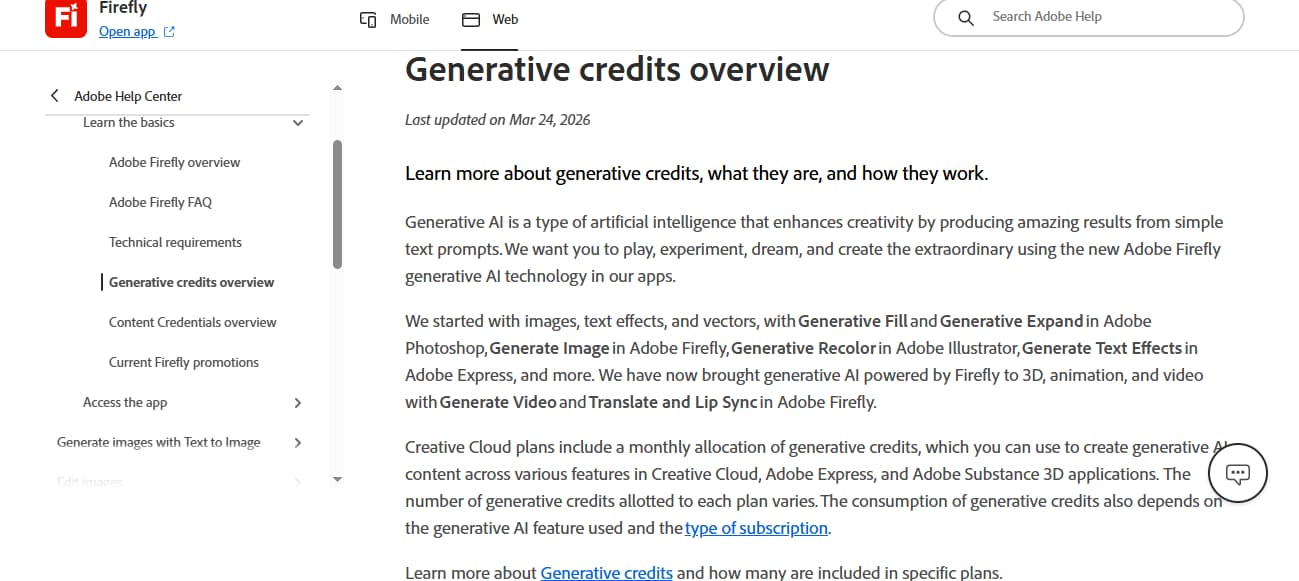
Creative work is naturally wasteful. A team may generate ten directions and keep one. A designer may test several crops before choosing the quietest version. A marketer may need one safe campaign visual and three alternates for internal review.
That waste is not failure. It is how creative direction is found.
This is why Adobe’s generative credit system matters more than the headline monthly price.
Credits add a meter to experimentation.
For controlled production tasks, that may be acceptable. If you know you need a background extension or a small number of campaign variations, the cost feels easier to understand. But during early ideation, credits can make every extra attempt feel counted.
That changes the work before it changes the bill.
The credit model is easier to accept when Firefly is used for controlled refinement. It feels weaker when the user is still searching for the idea.
That is the key pricing distinction.
Firefly video and the motion problem
Firefly’s move into video is important, but video should not be treated as just another checkbox.
Video changes the test.
A still image can look polished and still fail when it starts moving. Now the user has to judge motion quality, camera behavior, subject consistency, pacing, and whether the first frame survives the transition into a short clip.
Adobe is clearly moving in that direction. The Firefly expansion covered by The Verge points toward mobile access, video generation, Creative Cloud sync, and a broader cross-app workflow.
That direction makes sense for Adobe.
But it also highlights the workflow split.
Firefly is strongest when the asset is still part of an Adobe-centered production process: image, layout, campaign visual, design file, edit, review, handoff. Once the user’s main question becomes “how should this image move?”, the job starts to look different.
At that point, a broad creative suite can feel heavier than a motion-first workflow.
When a generation-first workflow makes more sense
This is where I would avoid a lazy “Firefly versus GoEnhance” comparison.
They are not the same kind of tool.
Firefly is stronger when the asset needs editing, approval, and Adobe handoff. A generation-first workflow is stronger when the starting point is a still image and the next question is motion: how the camera moves, how the subject behaves, and whether the result works as a short AI video.
If the work begins in Photoshop, Firefly makes sense.
If the work begins with a still image and the next task is motion testing, an AI image-to-video workflow is closer to the job than a broad Adobe creative suite.
That is the more honest comparison.
Not “which tool has more features?”
More like: where does the work begin, and what is the next step?
Who should use Adobe Firefly
Adobe Firefly is worth considering if your creative process already depends on Adobe.
It is a strong fit for designers, marketers, agencies, and brand teams that need AI-assisted assets to become safer, cleaner, and easier to revise. It is especially useful when the final output will move through people who care about more than visual impact: brand managers, legal teams, client-side reviewers, creative directors, and production designers.
Firefly is less convincing if you mainly want the strongest image style, the most experimental concept art, or the fastest motion testing. It also becomes harder to justify if you are not already benefiting from Creative Cloud.
That is the simplest buying logic.
The ecosystem is the value.
If you need that ecosystem, Firefly makes sense.
If you do not, the value gets thinner.
Final verdict
Adobe Firefly is good, but it is good in a specific way.
It is not the AI tool I would recommend first for wild concept art, aggressive style exploration, or fast image-to-video testing. It is the tool I would recommend to teams that already work inside Adobe and need AI-generated assets to become more editable, safer to use, and easier to approve.
That is a real use case.
A valuable one.
But it is not the same as pure imagination.
Firefly is where creative assets get refined, adapted, and approved.
It is not always where the most interesting creative run begins.
If your next step is motion testing rather than Adobe-centered editing, Kling AI on GoEnhance is a more direct place to start.


