
Sora 2 Review (2026): Why It Feels Directable in Practice
- 1. Sora 2 review takeaway: it’s a video-and-audio system, not “just text-to-video”
- 2. Sora 2 AI review method: how I tested it (and what I don’t trust)
- 3. Product structure review: the creation stack I actually use
- 4. Prompt following & controllability: where Sora 2 feels like directing
- 5. Audio review: the “finished clip” advantage (and the sync limits)
- 6. Real-world failure modes: what breaks first in harder scenes
- 7. Safety, provenance, and likeness: the rules shape the workflow
- 8. The workflow that keeps Sora 2 consistent (my “no chaos” recipe)
- 9. Who Sora 2 is best for (and who should wait)
- 10. Case studies: 3 prompts I actually reuse (with why they work)
- 11. Conclusion: my 2026 verdict on Sora 2 reviews
Sora 2 review is tricky to write because the hype is real—but the day-to-day experience is even more specific than the headlines. In this Sora 2 AI review, I’m focusing on what holds up when you’re actually trying to direct a clip: control, consistency, audio, and the places where it still breaks. If you’ve been skimming Sora 2 reviews hoping for a clean “is it worth it?” answer, here’s mine: Sora 2 is the first mainstream video generator that rewards real shot planning—yet it still punishes vague prompts and sloppy continuity.
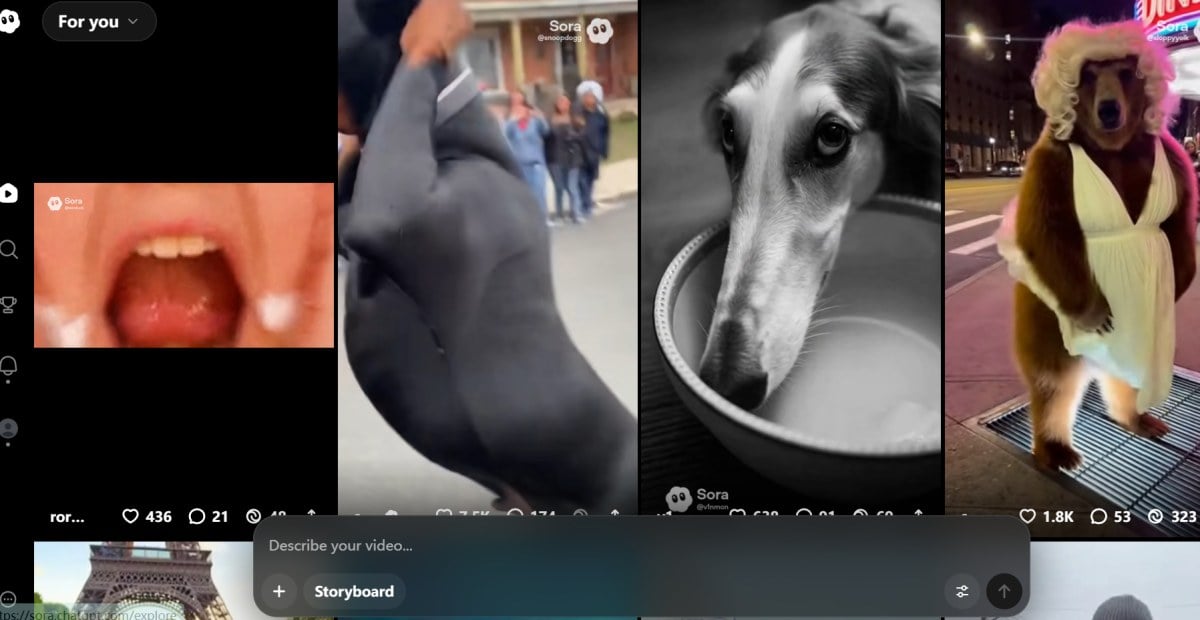
1. Sora 2 review takeaway: it’s a video-and-audio system, not “just text-to-video”
If you treat Sora 2 like a tiny film crew (subject + motion + camera + sound), it performs; if you treat it like a vibe machine, it becomes inconsistent fast.
What separates Sora 2 from the previous wave is intent: it’s designed to generate a believable scene and a believable soundtrack. The “structure” matters because the product expects you to create like a director:
- Start type: text-to-video or image-start (animate a still).
- Direction fields: subject, environment, motion, camera language, pacing, and audio intent.
- Iteration loop: generate → refine → remix/branch → stitch for multi-scene.
- Reusable building blocks: looks/styles, plus character-like assets (where supported).
- Distribution layer: remix culture changes how fast formats emerge.
In my workflow, I spend less time chasing “cinematic vibes” and more time writing production notes: what the camera does, what the subject does, and what must not change.
2. Sora 2 AI review method: how I tested it (and what I don’t trust)
I trust Sora 2 most when I can score it on repeatability, not one lucky generation.
To keep myself honest, I test Sora 2 like I’d test a lens: same base idea, controlled variables, small batches.
- Write one “locked” baseline prompt (subject + location + time of day + camera).
- Run 4–6 variations that change only one thing (motion, lens, lighting, pacing, or audio).
- Track failure modes (identity drift, object warping, physics weirdness, audio mismatch).
- Re-run the best prompt later (the “does it still work tomorrow?” check).
- Only then try creative riffs (genre swaps, stylized looks, aggressive camera moves).
What I don’t trust: one-off demo clips, ultra-short fragments that hide continuity problems, and prompts that “accidentally” work because the camera never reveals the hard parts (hands, signage, reflections, long interactions).
3. Product structure review: the creation stack I actually use
Sora 2 gets dramatically easier once you think in modules: prompt → style → remix → stitch.
This is the practical structure of Sora 2 as a creator tool:
- Prompting layer: detailed direction, especially camera language and continuity constraints.
- Style layer: optional looks that push a coherent aesthetic without you spelling everything out.
- Character/cameo layer (where available): reusable entities with permissions and consistency intent.
- Remix layer: branching a draft so you can iterate without losing the original.
- Stitching layer: connecting multiple clips into a longer sequence while keeping the story readable.
- Output layer: export/share with constraints that reflect safety and provenance.
If you want a starting point page for your own notes, I keep this bookmarked: Sora 2.
Quick feature table (creator-facing, not marketing-facing)
| Feature block | What it does in practice | Where it helps most |
|---|---|---|
| Styles | Forces a consistent look fast | Ads, music moments, “series” content |
| Remix | Branches without overwriting | A/B testing hooks, pacing, camera |
| Stitching | Builds multi-scene sequences | Mini-stories, product sequences |
| Audio intent | Adds ambience/dialogue/SFX | Scenes that feel “finished” |
| Tight prompt following | Rewards specificity | Shot lists, repeatable formats |
4. Prompt following & controllability: where Sora 2 feels like directing
Sora 2 is strongest when you give it film-language constraints and a short, explicit shot plan.
Control isn’t just “did it draw the thing.” It’s whether it respects relationships over time: spatial layout, object persistence, and camera continuity.
What works consistently for me:
- Clear framing: “wide establishing,” “waist-up,” “close-up,” “locked tripod.”
- Simple choreography: one main motion + one secondary motion.
- Continuity rules: “same outfit,” “same lighting direction,” “no new props.”
- Pacing instructions: “steady,” “no rapid cuts,” “no strobe lighting.”
What makes it wobble:
- Too many actions at once.
- Camera moves that force invented geometry (fast spins, extreme parallax).
- “Cinematic” as a substitute for actual camera direction.
The prompt template I stick with (it keeps me from overdoing it)
Conclusion first: a structured prompt beats a “pretty” prompt.
- Subject: who/what + fixed traits
- Setting: location + time of day + weather
- Action: one primary motion + one secondary detail
- Camera: lens + movement + framing + cut rules
- Look: lighting + palette + texture constraints
- Audio: ambience + one key SFX + optional short dialogue
- Negative constraints: what must NOT happen
5. Audio review: the “finished clip” advantage (and the sync limits)
When audio works, Sora 2 instantly feels more shareable—but you still have to steer it like a sound designer.
The biggest quality leap is that outputs don’t feel silent. I treat audio like a layer I can guide, not a magical bonus.
What I ask for (and get reliably):
- Diegetic ambience: room tone, wind, traffic wash, crowd murmur.
- One hero sound: a zipper, a door click, a skateboard roll, a camera shutter.
- Short dialogue: only when the scene supports it, and only a line or two.
Where it can drift:
- Dialogue that feels generic if the emotion isn’t clearly described.
- SFX timing that’s “close enough” rather than frame-accurate in complex action.
- Busy soundscapes that compete with the main moment.
My rule: pick one sound to be “the point,” and let everything else stay background.
6. Real-world failure modes: what breaks first in harder scenes
Sora 2 is impressive, but it still fails predictably—so you can design around the failures.
These are the issues I hit most:
- Identity drift: the same person subtly changes across iterations, especially under dramatic lighting.
- Hands & fine interactions: buttons, zippers, pouring liquids—better than before, still fragile.
- Text and signage: plausible-looking text, but stable readable typography is inconsistent.
- Reflections & mirrors: occasional impossible reflections or duplicated geometry.
- Fast camera moves: whip pans, fast spins, sudden zooms can trigger warping.
How I work around them:
- Keep camera motion slow and motivated.
- Avoid demanding precise hand mechanics unless it’s the only action.
- If text matters, overlay it in post instead of forcing it in-world.
- Build complexity via stitching, not one “perfect long take.”
7. Safety, provenance, and likeness: the rules shape the workflow
Sora 2’s safety posture isn’t a footnote—it influences what is practical to build and ship.
If you’re coming from looser tools, you’ll feel this: Sora 2 is deployed with provenance signals and policies around misuse, which affects prompts, remixing, and what you can upload.
What that means for creators (how I operate):
- I plan content so it can survive review: consent, rights, and disclosure expectations.
- I keep “real-person” ideas optional and avoid building a workflow that depends on fragile allowances.
- For brands, I assume provenance and policy constraints exist and I plan a compliant path first.
Official references I point to when someone on my team asks “what’s actually allowed?”:
- OpenAI: Sora 2 is here
- Sora 2 System Card (summary page)
- Sora 2 System Card (PDF)
- OpenAI Help: Creating videos with Sora
- Launching Sora responsibly
8. The workflow that keeps Sora 2 consistent (my “no chaos” recipe)
The best Sora 2 results come from reducing degrees of freedom, not adding more adjectives.
Here’s the repeatable workflow I use when I need outputs I can actually post:
- Write a baseline prompt that is boring but precise.
- Generate 3–5 drafts and pick the one with the best continuity (not the flashiest).
- Lock anchors (subject traits, wardrobe/props, lighting direction, camera style).
- Make variations by changing one variable:
- Hook (first 1–2 seconds)
- Pacing (calm vs energetic)
- Camera (push-in vs locked)
- Audio emphasis (wind vs footsteps)
- Stitch only after you’ve found a “winner” clip that stays stable.
Decision table: what to change, depending on your goal
| Goal | Change this | Keep this fixed |
|---|---|---|
| Better hook | First action + framing | Character + setting |
| More “cinema” | Lens + movement | Action + timing |
| More realism | Lighting + materials | Camera + pacing |
| More clarity | Fewer motions | Composition |
| More emotion | Expression + audio | Camera + environment |
9. Who Sora 2 is best for (and who should wait)
If you publish short, directed clips and care about polish, Sora 2 is worth learning; if you need long-form perfection, you may still feel the ceiling.
Sora 2 shines for:
- Short social clips that need realistic motion + coherent camera language.
- Stylized series where a preset look keeps output cohesive.
- Mini-stories built from stitchable segments, not one perfect take.
- Creators who like iteration and treat prompts like production notes.
You may want to wait (or pair with other tools) if:
- You need long, dialogue-heavy scenes with tight sync expectations.
- Your content depends on stable readable text inside the scene.
- You can’t afford multiple attempts per usable clip.
10. Case studies: 3 prompts I actually reuse (with why they work)
These prompts work because each one locks anchors (subject + camera + pacing) and only asks the model to do one “hard thing” at a time.
Below are six “formats” I keep reusing. They’re not magic—just constrained. If you read Sora 2 reviews and feel like everyone is getting better output than you, it’s usually because their prompts are secretly doing less than yours.
Case A: “Product hero, real-world realism” (easy to ship)
What it’s for: short ads, landing page loops, “premium but simple.”
Prompt:
Ultra-realistic product hero video of a matte black insulated water bottle on a clean kitchen counter at sunrise.
Subject anchor: same bottle shape, same logo-free surface, no extra props introduced.
Action: a single slow bead of condensation forms and slides down the bottle.
Camera: locked tripod, 50mm lens, gentle micro push-in, no cuts.
Lighting: soft warm window light from frame left, natural shadows, no flicker.
Audio: quiet kitchen room tone, subtle condensation drip sound once.
Negative: no text, no hands, no label changes, no additional objects.
Why it works for me: one object, one micro-action, one camera move.
Case B: “Street scene, mood + audio” (comes together quickly)
What it’s for: cinematic vibe clips where sound sells the realism.
Prompt:
Rainy night city sidewalk, neon reflections on wet pavement, a lone cyclist passes through frame.
Subject anchor: same street layout, same storefront shapes, consistent rain intensity.
Action: cyclist enters from right, crosses mid-frame, exits left; pedestrians remain background only.
Camera: handheld but steady, 35mm lens, slow pan following the cyclist, no jump cuts.
Look: high contrast, cool highlights, realistic water reflections, no surreal colors.
Audio: rain on pavement, distant traffic wash, bicycle chain sound as it passes.
Negative: no readable signs, no warping reflections, no sudden zooms.
Why it works: motion is simple and predictable, audio does the heavy lifting.
Case C: “Talking-head style (without begging for perfect lipsync)”
What it’s for: creator-style intros, app walkthrough energy.
Prompt:
A friendly presenter speaking to camera in a bright home office, waist-up framing.
Subject anchor: same person throughout, same outfit, consistent skin tone and hairstyle.
Action: subtle hand gesture once, then still; calm facial expression.
Camera: locked tripod, 85mm lens, shallow depth of field, no cuts.
Lighting: soft key light from front-left, natural fill, no flicker.
Audio: clear speech at normal pace, light room tone, no music.
Negative: no exaggerated mouth shapes, no fast gestures, no background changes.
Why it works: I’m not asking for a lot of complex interaction—just believable presence.
11. Conclusion: my 2026 verdict on Sora 2 reviews
Sora 2 review, after real testing, comes down to this: Sora 2 is the first consumer-ready video generator that consistently rewards direction—and that’s why it feels like a 2026 inflection point. In this Sora 2 AI review, I leaned into what makes it practical: controllability, remix/stitch workflows, and audio that helps clips feel finished, alongside predictable breakpoints like hands, text, and fast camera chaos. If you’re reading Sora 2 reviews to decide whether to invest time, my advice is simple: learn the prompt discipline (anchors + shot plan), and Sora 2 will give you results that look less like a demo and more like something you’d actually post.


